
Beyond Paper: Digital Tools for Creating Detailed Garden Maps


Ready to transform your gardening dreams into a thriving reality? At CultivateYourFood, we empower you to grow your own delicious and healthy produce sustainably. Forget the limitations of pencil and paper – discover how digital garden planning software can revolutionize your approach to cultivating fruits, vegetables, and herbs. This innovative tool, detailed in our latest Educational Gardening Resources article, unlocks a world of precise planning and efficient harvesting. Intrigued? Let's delve into the future of gardening!
- Why Choose Digital Garden Planning Software Over Paper?
- Top Digital Garden Planning Software Options for 2024
- Essential Features of Effective Digital Garden Planning Software
- Maximizing Your Digital Garden Plan: Tips and Tricks
- Beyond Software: Utilizing Mobile Apps for Garden Management
- From Digital Plan to Thriving Garden: Implementing Your Design
-
Frequently Asked Questions
- What is digital garden planning software?
- How does digital garden planning software benefit home gardeners?
- What features should I look for in digital garden planning software?
- Is digital garden planning software suitable for beginners?
- How does digital garden planning software relate to sustainable gardening practices?
- Final Reflection: Cultivating the Future of Garden Design
- Unleash Your Green Thumb: Design Your Dream Garden Now!
Why Choose Digital Garden Planning Software Over Paper?
Planning your garden can feel like a monumental task, especially when you envision bountiful harvests of juicy tomatoes, crisp lettuce, and fragrant herbs. Traditionally, pencil and paper have been the go-to tools for sketching out garden layouts. However, in today's digital age, leveraging digital garden planning software offers a significant leap forward in efficiency, precision, and overall garden design success.
This article explores the advantages of transitioning from traditional paper-based methods to the power of digital tools for creating detailed and effective garden maps. We'll delve into how these software solutions can help you cultivate a thriving, sustainable, and organic garden, ultimately maximizing your yield and minimizing your effort. Choosing the right digital garden planning software can transform your gardening experience, offering a streamlined approach to planning, monitoring, and managing your garden's growth throughout the entire season.
From initial design to harvest time, digital tools provide the support you need to achieve your gardening goals. Let's explore how digital garden planning software can elevate your gardening game.
Time Savings with Digital Garden Design Software
Imagine spending hours meticulously drawing, redrawing, and erasing your garden plan on paper, only to realize you've miscalculated spacing or overlooked sun exposure. With digital garden planning software, this frustration becomes a thing of the past. These tools allow for quick and easy adjustments, eliminating the need for laborious manual revisions. Features like drag-and-drop functionality, pre-set plant dimensions, and automatic spacing calculations significantly reduce planning time.
For example, instead of manually calculating the space needed for 12 tomato plants, the software can do it instantly, providing you with precise measurements and ensuring optimal plant spacing for healthy growth. This time saved can be redirected towards other crucial aspects of gardening, such as soil preparation, planting, and ongoing maintenance. The efficiency gained translates to more time spent enjoying the fruits (and vegetables!)
of your labor. Furthermore, many software options allow for the import of existing garden plans, minimizing the need to start from scratch each year. This iterative approach fosters continuous improvement and efficient planning year after year.
Enhanced Visualization and Precision in Garden Planning
Digital garden planning software empowers you to visualize your garden with unprecedented accuracy. Unlike hand-drawn sketches, digital tools provide precise measurements, allowing for accurate placement of plants, pathways, and other garden features. Many programs offer 3D modeling capabilities, providing a realistic preview of your garden's final look and feel. This allows you to identify potential problems – such as insufficient sunlight for shade-loving plants – before you even break ground.
Moreover, you can experiment with different layouts, plant arrangements, and garden designs with ease, comparing various options side-by-side to select the most effective configuration. The ability to layer information, such as sun exposure maps and soil analysis data, enhances planning precision and informs crucial decisions, ultimately leading to a healthier and more productive garden. The level of detail achievable through digital tools far surpasses the limitations of traditional paper-based planning.
Easy Garden Plan Modification and Iteration with Digital Tools
Gardening is a dynamic process. Unexpected weather patterns, pest infestations, or simply a change of heart regarding plant selection can necessitate modifications to your initial garden plan. Digital garden planning software simplifies this process, making it easy to adapt your plan as needed.
Unlike paper plans, which require complete redrawing for even minor adjustments, digital tools allow for seamless modifications with a few clicks. You can easily swap out plants, adjust spacing, and change the overall layout, all without the frustration and wasted time associated with manual revisions. This flexibility is particularly valuable for beginner gardeners who may need to adapt their plans based on unforeseen challenges or changing circumstances.
Moreover, the ability to save multiple versions of your garden plan allows you to track your progress, compare different iterations, and learn from past experiences, leading to increasingly refined and successful garden designs in subsequent years. The iterative nature of digital planning fosters continuous improvement and allows for a more adaptable and resilient gardening approach.
Digital garden planning software often includes robust sharing and collaboration features, a significant advantage over static paper maps. This functionality allows you to easily share your meticulously crafted garden design with family members, friends, or even gardening consultants. Imagine the ease of sending a detailed, interactive plan to a landscape architect for feedback, or showing your spouse exactly where you plan to plant those prize-winning tomatoes. No more blurry photographs or cumbersome explanations; everyone involved can access and understand the plan with clarity.
This collaborative aspect extends beyond simple sharing. Some platforms allow for real-time co-editing, enabling multiple users to simultaneously contribute to the garden design. This is particularly beneficial for larger projects or families working together on a shared garden space. For instance, you could collaboratively adjust plant placement, incorporate feedback from others, or even assign specific tasks based on the digital map's layout. This level of interaction fosters better communication and ensures everyone is on the same page regarding the garden's development.
Furthermore, the ability to share and collaborate extends beyond immediate family and friends. Advanced software may allow for the export of your digital garden plan in various formats, such as PDF or image files, suitable for sharing on social media platforms or even with local gardening communities. This opens up opportunities for feedback, inspiration, and the chance to learn from other gardeners' experiences.
The digital nature of the plan also simplifies the process of obtaining professional advice; simply share the file with a consultant, saving time and effort compared to traditional methods. This collaborative functionality is a key element in making digital garden planning significantly more efficient and enjoyable.
Top Digital Garden Planning Software Options for 2024
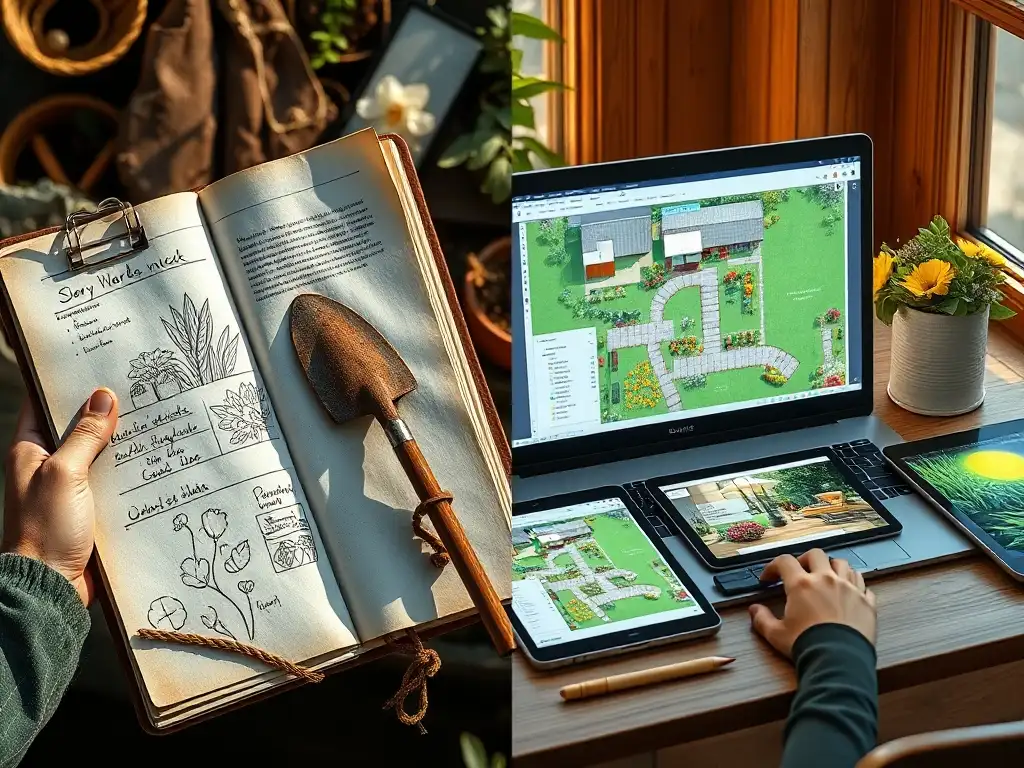
This section explores some of the leading digital garden planning software available in 2024, focusing on their capabilities for creating detailed garden maps. Choosing the right software can significantly improve your garden planning process, leading to better yields and a more enjoyable gardening experience. We'll examine both free and paid options, highlighting their strengths and weaknesses to help you make an informed decision. Understanding the nuances of different digital garden planning software is crucial for maximizing its benefits in your sustainable gardening practices.
SketchUp Free: Free 3D Garden Design Software and its Limitations
SketchUp Free offers a surprisingly robust platform for 3D modeling, making it a tempting option for those seeking a free digital garden planning solution. Its intuitive interface allows users to easily create basic garden layouts, experimenting with plant placement and overall garden design. The free version provides access to a substantial library of 3D models, although the selection may not be as extensive as paid alternatives. The ability to visualize your garden in 3D before planting is a significant advantage, allowing for better spatial planning and a more accurate representation of mature plant sizes.
SketchUp Free for Basic Garden Design
SketchUp Free excels in visualizing the overall layout of your garden. You can easily add pathways, structures like sheds or trellises, and even incorporate existing landscape features. The drag-and-drop interface is simple to learn, even for beginners with no prior experience in 3D modeling software. For instance, you can quickly experiment with different bed shapes and sizes to optimize sunlight exposure and accessibility. This "what-if" capability is invaluable for planning efficient and productive garden spaces. The ability to share your 3D models with others is also a useful feature for collaborating on garden design projects.
Limitations of SketchUp Free for Detailed Garden Planning
While SketchUp Free is excellent for basic visualization, its limitations become apparent when aiming for detailed garden mapping. The free version lacks advanced features crucial for meticulous planning. For example, precise measurements and plant-specific data (like mature height and spread) are not readily available or easily integrated. This makes accurate predictions about plant spacing and potential overcrowding difficult.
Moreover, features such as automated sunlight analysis and soil type integration are absent, limiting the software's usefulness for sophisticated garden design focused on optimizing growth conditions. The lack of robust plant database integration also means you'll need to manually input plant dimensions, a time-consuming process for larger gardens. Therefore, while suitable for initial brainstorming and visualization, SketchUp Free might not meet the needs of gardeners seeking precise and detailed planning capabilities.
Garden Planner Pro: Comprehensive Features for Detailed Garden Mapping
Garden Planner Pro represents a significant step up from free options, offering a comprehensive suite of tools specifically designed for detailed garden mapping. Its strong emphasis on precise measurements, plant-specific data, and advanced features makes it a powerful tool for serious gardeners aiming for optimal yield and efficiency. The software often incorporates features that cater to sustainable and organic gardening practices, allowing users to track resource usage and plan for efficient composting and pest control strategies.
Garden Planner Pro's Advanced Features and Capabilities
Garden Planner Pro typically includes features like a comprehensive plant database with detailed information on mature size, sunlight requirements, and spacing recommendations. This eliminates the need for manual data entry, saving significant time and ensuring accuracy. Advanced features might include sunlight analysis tools that simulate sun patterns throughout the day, helping you optimize plant placement for maximum growth. Furthermore, the software might allow for the integration of soil data, enabling you to plan your garden based on specific soil conditions.
Some versions even allow for the creation of multiple garden plans, enabling comparison and experimentation with different layouts. The ability to generate reports and printable layouts is also a valuable feature for detailed planning and record-keeping. This level of detail allows for more precise planning and better prediction of yields, optimizing the efficiency of your gardening efforts.
Pricing and Subscription Options for Garden Planner Pro
Garden Planner Pro typically operates on a subscription model, offering various pricing tiers depending on the features and level of support included. The exact pricing and subscription options vary depending on the specific provider, so it's crucial to review their current offerings. However, the investment in a comprehensive tool like Garden Planner Pro can be justified by the increased efficiency and improved planning it provides, leading to a more productive and successful gardening season.
Consider the long-term benefits of accurate planning and optimized resource management when comparing the costs against the potential increase in yield and reduced waste. The time saved through automated features and precise data may also outweigh the subscription cost over time.
Planner 5D: A Mid-Range Option for Detailed Garden Planning
Planner 5D offers a compelling blend of features for garden planning, making it a strong contender in the mid-range software market. It's not as basic as some free options, yet it doesn't reach the comprehensive level of the most expensive professional software suites. The platform allows users to create detailed 2D and 3D models of their gardens, incorporating various plant types, pathways, and other landscape features.
Its intuitive drag-and-drop interface makes it relatively easy to learn, even for beginners unfamiliar with digital garden planning software. The ability to visualize your garden in 3D before planting is a significant advantage, allowing for adjustments and refinements based on spatial relationships and aesthetic considerations. This helps avoid costly mistakes and ensures a more efficient use of garden space.
Furthermore, Planner 5D allows for the import and export of various file formats, facilitating collaboration and data sharing. The software also provides a library of pre-designed elements, speeding up the planning process, although customization is still highly possible. However, the level of detail available for specific plant information might not satisfy experienced gardeners seeking very precise data on plant growth and spacing requirements.
Planner 5D's Strengths and Weaknesses
Planner 5D boasts several key strengths. Its user-friendly interface is a major draw, enabling even novice users to create detailed garden plans with minimal effort. The 3D visualization capabilities are excellent, providing a realistic preview of the planned garden. The software also offers a decent library of plants and other landscaping elements, although the database could be more extensive and include more specific plant varieties.
The ability to share and collaborate on projects is another significant advantage. On the downside, some users might find the lack of advanced features for precise plant spacing calculations and growth projections to be limiting. While the 3D rendering is impressive, the level of detail in the plant models could be improved for more accurate simulations of mature plants.
The pricing model (discussed below) might also be a deterrent for some users seeking a completely free solution. The software is also not specifically designed for organic gardening, so features tailored to sustainable practices are limited. Finally, while it handles 2D and 3D well, integration with other gardening apps or smart garden systems is currently minimal.
Planner 5D's Pricing and Value Proposition
Planner 5D operates on a freemium model. A free version is available, offering basic functionality and limited features. However, to unlock the full potential of the software, including the ability to create larger and more detailed projects, users need to subscribe to a paid plan.
The pricing varies depending on the subscription length and features included. Generally, the paid subscriptions offer access to a more extensive library of plants and objects, higher resolution rendering, and additional collaborative features. The value proposition lies in the balance between affordability and functionality.
While not the cheapest option, it provides a significant upgrade from free alternatives, offering a substantial increase in features and capabilities for a reasonable price. Considering the time and resources saved by avoiding costly garden design mistakes, the investment in a Planner 5D subscription can quickly prove worthwhile for many gardeners, especially those undertaking larger or more complex projects. The cost-benefit analysis strongly suggests that for many users, the premium features justify the subscription fee, especially when considering the potential for long-term savings and increased gardening success.
Essential Features of Effective Digital Garden Planning Software
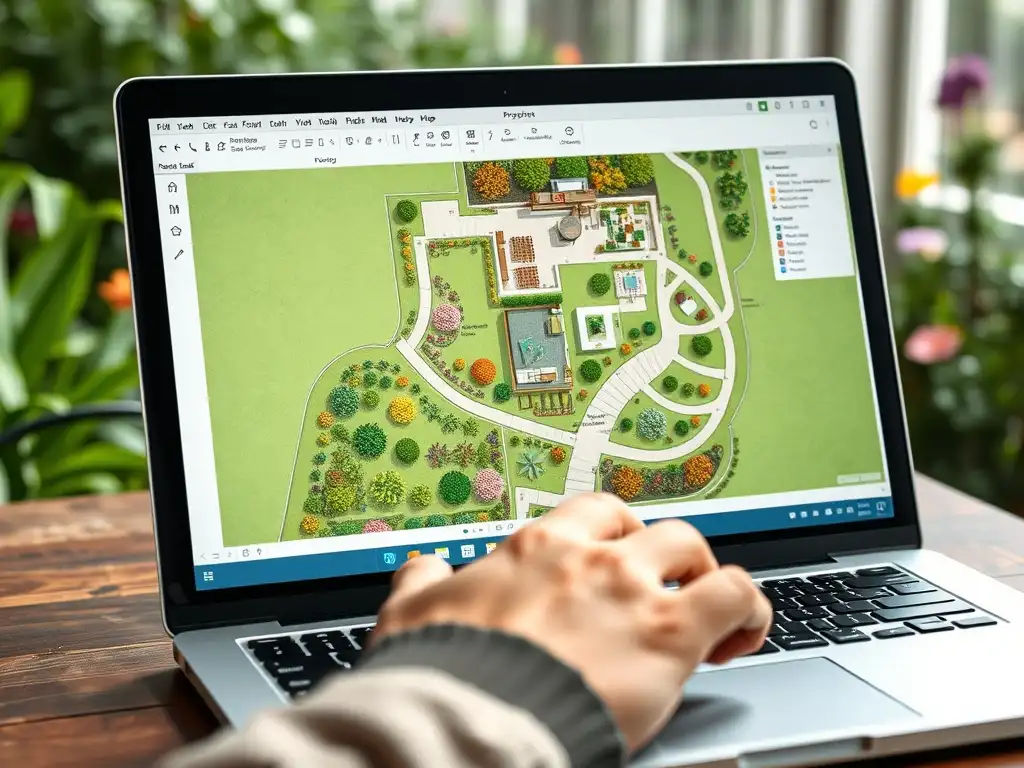
Choosing the right digital garden planning software can significantly enhance your gardening experience. But with so many options available, understanding the key features is crucial. This section highlights the must-have functionalities that differentiate excellent software from merely adequate tools. We'll explore capabilities that directly impact efficiency, planning accuracy, and ultimately, the success of your harvest. Effective "digital garden planning software" should streamline your workflow and empower you to make informed decisions throughout the growing season.
Import and Export Capabilities for Seamless Workflow
Efficient data management is paramount for successful gardening, especially when dealing with multiple garden plots or years of historical data. Top-tier digital garden planning software offers robust import and export options. This allows you to seamlessly transfer your garden plans between different devices (desktop, tablet, smartphone), share them with fellow gardeners, or integrate them with other applications.
Imagine this: you've meticulously planned your spring garden using your software on your laptop. Now, you want to access your plan while you're outside, checking on your seedlings. With robust export capabilities, you can easily download a PDF or image of your plan to your phone.
Conversely, if you're receiving planting advice from a friend who uses a different app, being able to import their data into your software saves you time and effort. Look for software that supports various formats, such as CSV, PDF, JPG, and even the ability to directly integrate with cloud storage services for easy backup and access from anywhere. This seamless workflow is key to effective "digital garden planning software".
Customization Options for Personal Garden Design
A truly effective digital garden planning software should allow for extensive personalization. Generic templates may work for some, but the best software empowers you to create a digital garden plan that is a true reflection of your unique space and growing preferences. This includes features that go beyond simply plotting plants.
Consider the ability to customize plant symbols, add detailed notes about specific plants (e.g., variety, planting date, expected harvest date), and even integrate images of your actual plants. The level of customization directly impacts the software's usability and its value as a long-term tool. Some software even allows you to import aerial images of your garden for precise placement of plants, further enhancing the accuracy of your planning. This detailed approach to customization ensures your digital garden plan mirrors your real-world garden, maximizing its practical value. This is what truly differentiates effective "digital garden planning software".
Integration with Other Gardening Apps and Resources (e.g., weather apps)
Modern gardening benefits from the synergy between different digital tools. The best digital garden planning software recognizes this and provides integration with other relevant apps and resources. This interconnectedness enhances the planning process and provides valuable insights throughout the growing season.
For instance, integration with a weather app can provide real-time updates on temperature, rainfall, and sunlight, allowing you to adjust your planting schedule and watering regime accordingly. Similarly, integration with plant databases can offer detailed information about specific plants, including their ideal growing conditions, pest susceptibility, and harvest times. This interconnected approach provides a holistic view of your garden, enhancing decision-making and ultimately leading to more successful gardening outcomes.
This feature is a critical differentiator for truly effective "digital garden planning software." The ability to connect your garden plan with real-time data and expert resources elevates the software from a simple planning tool to a comprehensive gardening assistant.
Scalability to accommodate gardens of varying sizes
Effective digital garden planning software must be adaptable to gardens of all shapes and sizes. A program designed solely for small herb gardens won't be useful for someone cultivating acres of vegetables. The best software will allow users to easily adjust the scale of their plan, whether they're working with a few square feet of raised beds or a sprawling orchard. This scalability should extend to the number of plants included – the software should handle hundreds of entries as easily as it handles a dozen.
Features like customizable grid sizes, the ability to import existing plot maps (perhaps a scanned image of a hand-drawn plan), and the option to zoom in and out for detailed views are essential. Furthermore, the software should seamlessly handle the addition or removal of garden sections as the garden grows or evolves. For example, a user might start with a small vegetable patch and later add a dedicated area for composting or a section for berry bushes.
The software should support this dynamic expansion without requiring a complete redesign of the garden map. The ability to save multiple garden plans simultaneously is also a crucial feature for users with multiple gardening projects or those who like to plan for future seasons. Consider the user who wants to plan their spring and fall gardens concurrently; the software should allow this without data loss or confusion.
User-Friendly Interface for Ease of Use
Intuitive design is paramount for any digital garden planning tool. The software should be easy to navigate, even for users with limited experience with gardening software or digital tools in general. A cluttered or confusing interface will quickly frustrate users and deter them from using the software. Clear icons, easy-to-understand menus, and a logical workflow are key elements of a user-friendly design.
The process of adding, editing, or deleting plants should be simple and straightforward, with minimal steps involved. Drag-and-drop functionality for placing plants on the map is highly desirable, as is the ability to easily adjust plant spacing and orientation. The software should also provide clear visual cues, such as color-coded plant types or labels indicating plant maturity stages. Furthermore, helpful tooltips and contextual help menus should be readily available to assist users with any questions or difficulties they may encounter.
Accessibility should be a priority; the software should be usable by individuals with a wide range of technical skills and abilities, including those with visual impairments. Consider features such as adjustable font sizes, color contrast options, and keyboard navigation. The overall aim is to create a seamless and enjoyable user experience that empowers users to focus on the creative process of garden planning rather than wrestling with the software itself. A well-designed interface makes digital garden planning not just efficient, but also enjoyable and engaging.
Maximizing Your Digital Garden Plan: Tips and Tricks
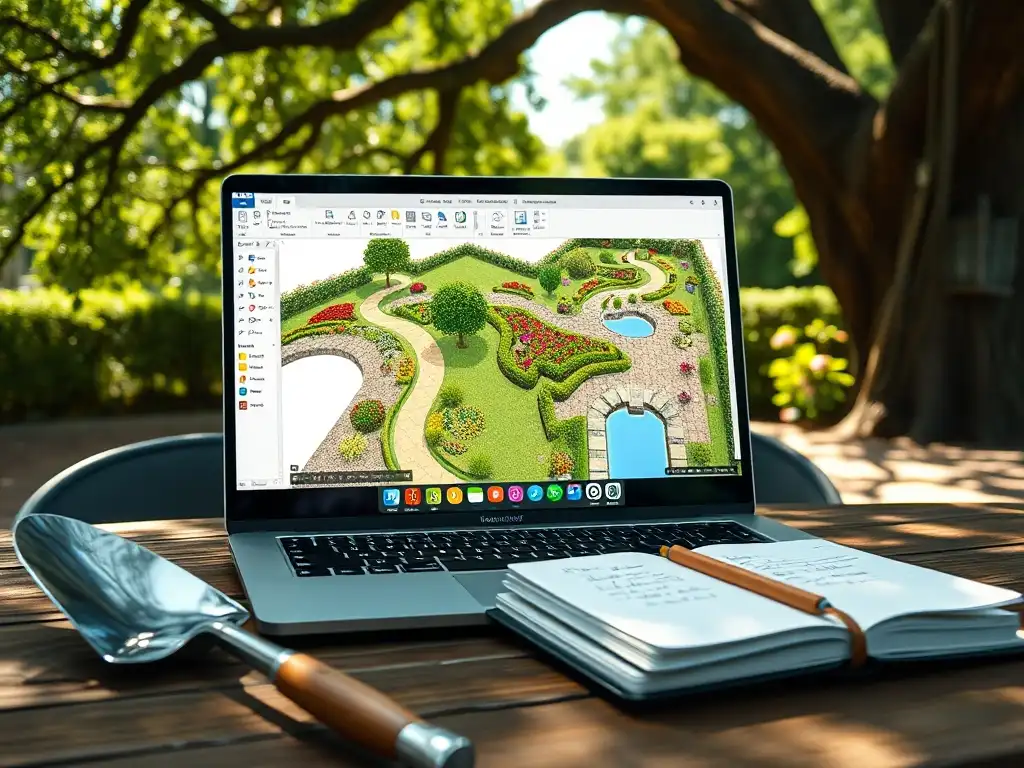
This section delves into advanced techniques to elevate your digital garden planning experience using "digital garden planning software". Mastering these tips will transform your digital map from a simple layout into a powerful tool for maximizing your harvest and minimizing wasted effort. Remember, the goal is not just to create a plan, but to optimize it for success.
Using Scalable Measurements for Accurate Garden Mapping
Accurate measurements are paramount when planning your garden digitally. Using scalable measurements allows you to translate your digital plan directly into your physical garden space. Avoid simple estimations; instead, utilize precise measurements. For example, if your garden bed is 10 feet by 5 feet, accurately represent this ratio in your chosen "digital garden planning software". This ensures proper spacing between plants, preventing overcrowding and promoting healthy growth.
Many digital garden planning tools offer grid overlays or allow you to specify dimensions directly. Take advantage of these features! If a tool doesn't have this functionality, consider using graph paper to create a preliminary sketch before transferring it to your digital platform. This meticulous approach ensures your digital map accurately reflects the physical space available, minimizing the risk of planting errors later.
Consider using metric measurements (meters and centimeters) for greater precision, especially when dealing with smaller plants or densely packed rows. Remember, a well-scaled plan is the foundation of a successful harvest. A 1:10 scale (1 cm representing 10 cm in real life) can be a good starting point, but adjust based on your garden's size and your software's capabilities.
Layer Functionality for Detailed Garden Layouts
Modern "digital garden planning software" often includes layer functionality – a game-changer for detailed garden layouts. Think of layers like transparent sheets stacked on top of each other. Each layer can represent a different aspect of your garden:
- Layer 1: Garden Beds: Outline the physical boundaries of your garden beds, including paths and walkways.
- Layer 2: Sun Exposure: Shade areas in different colors to represent sun exposure throughout the day (full sun, partial shade, full shade). This is crucial for plant selection.
- Layer 3: Soil Type: Indicate different soil types within your garden using color-coding or symbols. This helps you choose the right plants for the right conditions.
- Layer 4: Plant Placement: This is where you'll place individual plants, ensuring appropriate spacing based on their mature size.
- Layer 5: Irrigation: Map out your irrigation system, highlighting drip lines, sprinklers, or other watering methods.
This layered approach allows for a comprehensive view of your garden, while also providing the flexibility to adjust individual aspects without affecting others. For example, you might experiment with different plant arrangements on Layer 4 without altering your overall bed layout on Layer 1. The ability to toggle layers on and off provides an invaluable tool for visualizing different aspects of your garden design and making informed decisions. This detailed planning reduces potential problems later in the growing season.
Utilizing Symbols and Icons for Plant Representation
Clear and consistent plant representation is key to understanding your digital garden map. Most "digital garden planning software" offers a library of symbols and icons representing different plant types. Using these symbols avoids cluttering your map with text labels and improves overall readability. However, if your software lacks the specific plants you're using, consider creating your own custom icons or using simple, easily identifiable symbols.
Consider color-coding your plants based on categories:
| Category | Color | Example Plants |
|---|---|---|
| Leafy Greens | Green | Lettuce, Spinach, Kale |
| Root Vegetables | Brown/Orange | Carrots, Potatoes, Beets |
| Fruiting Plants | Red | Tomatoes, Peppers, Berries |
| Herbs | Purple | Basil, Mint, Rosemary |
This visual system enhances the readability of your map, allowing you to quickly assess the distribution of plant types within your garden. Furthermore, you can use different sizes of icons to represent the mature size of each plant. A larger icon indicates a larger plant, helping you visualize spacing and potential overcrowding. This level of detail minimizes the risk of planting errors and maximizes yield. Remember, a well-organized and clearly represented digital garden plan is a key ingredient for a successful growing season.
Color-Coding for Efficient Garden Organization
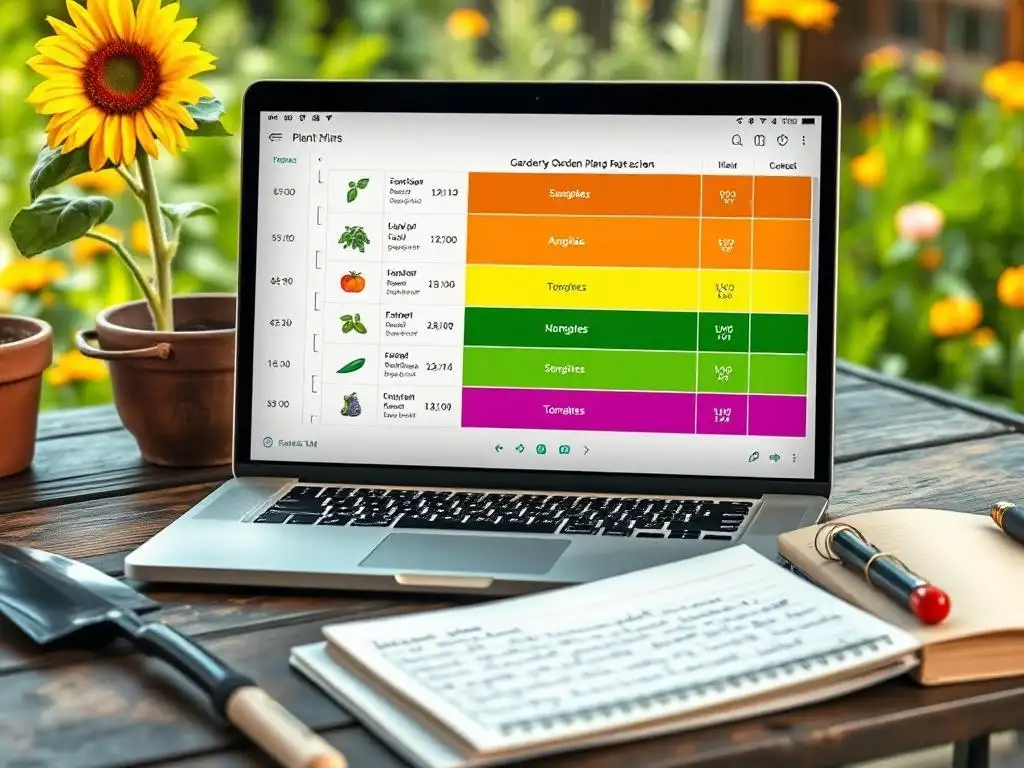
Effective color-coding is paramount when using digital garden planning software. It allows for quick visual identification of different plant types, maturity stages, and even potential pest vulnerabilities. Think of it as a visual shorthand for your garden's complex ecosystem. Instead of constantly referring to lengthy plant descriptions, a simple glance at your color-coded map can tell you everything you need to know.
For instance, you could assign a vibrant green to all leafy greens like lettuce and spinach, a sunny yellow for flowering plants like sunflowers and marigolds, and a deep red for tomatoes and peppers. This immediately creates visual clusters, simplifying the process of planning companion planting or identifying areas needing specific care. Furthermore, you could use shades of the same color to denote different growth stages. A lighter green might represent seedlings, while a darker shade indicates mature plants ready for harvest.
This layered approach significantly enhances the map's utility and allows for a more efficient workflow. Consider also using color to highlight areas prone to specific pests or diseases. For example, a light orange could signify susceptibility to aphids, prompting you to plan preventative measures.
The possibilities are endless, and the key is to create a system that works intuitively for you. Remember to create a legend explaining your color scheme; this is crucial for easy reference and understanding. The more intuitive your color-coding system is, the more effectively you can utilize your digital garden plan.
Creating a Key for Easy Reference in Your Digital Garden Map
A well-defined key is the cornerstone of any successful digital garden map. Without a clear key, even the most meticulously crafted digital plan becomes cumbersome and confusing. The key acts as a translator, converting the visual elements of your map—colors, symbols, and abbreviations—into easily understandable information. Think of it as the glossary for your garden's language.
Your key should clearly define each symbol and color used in your digital garden plan. For example, a small square could represent a tomato plant, while a circle could represent a herb. Different colors could indicate different planting times or maturity stages, as mentioned previously. You can even use abbreviations to represent specific plant varieties, such as 'T-Roma' for Roma tomatoes or 'B-Basil' for basil.
This level of detail allows for efficient planning and eliminates any ambiguity. Furthermore, the key should include information on plant spacing, row orientation, and any special requirements, such as sunlight exposure or water needs. This comprehensive approach ensures your digital plan is not just a pretty picture but a practical tool for successful gardening.
Consider using a table format within your digital garden planning software to organize your key effectively. This structure makes it easy to read and reference, ensuring the efficiency of your garden planning process. Remember, a well-structured key is an investment in your gardening success; it will save you time, effort, and potentially, a lot of frustration.
Beyond Software: Utilizing Mobile Apps for Garden Management

This section explores the power of mobile applications in enhancing your digital garden planning experience, offering supplementary tools that complement desktop software. While robust digital garden planning software provides comprehensive map creation and planning, mobile apps offer on-the-go accessibility and specialized features for detailed garden management. These apps can significantly improve your gardening workflow, providing real-time data and insights unavailable through static digital maps alone.
Think of them as your pocket-sized gardening assistants, boosting your efficiency and helping you cultivate a thriving garden. We'll examine a few key examples illustrating their practical application in optimizing your organic and sustainable gardening practices.
PlantNet: Plant Identification and Database for Accurate Planning
PlantNet is a powerful tool for identifying plants and accessing a wealth of information about them. This is crucial for accurate digital garden planning, ensuring you’re planting the right species in the right location, considering factors like sunlight, soil type and water requirements. By correctly identifying existing plants, you can optimize your garden layout and avoid planting conflicts. Integrating PlantNet data into your digital garden plans significantly improves their accuracy and usefulness.
Using PlantNet for Identifying Plants in Your Garden
Using PlantNet is straightforward. Simply take a clear photo of the plant's leaf, flower, or fruit, and the app will use its extensive database to identify it. The database includes thousands of species, encompassing a wide range of fruits, vegetables, and herbs. The app's identification algorithm is constantly improving, enhancing its accuracy and reliability over time.
Furthermore, PlantNet provides detailed information on each identified plant, including its scientific name, common names, and descriptions of its characteristics. This information is invaluable for planning your garden, allowing you to make informed decisions about plant placement and care. For example, identifying a weed early on can help you take preventative measures before it spreads and impacts your crops.
Integrating PlantNet Data into Your Digital Garden Plan
Once you've identified a plant using PlantNet, you can easily integrate this information into your digital garden plan. Many digital garden planning software applications allow for importing data from external sources. You can manually add the identified plant to your plan, including its specific location within your garden.
This ensures that your digital map accurately reflects the reality of your garden layout, creating a dynamic and up-to-date record of your plants and their locations. This detailed approach allows for better resource management and minimizes the risk of planting conflicts or accidentally removing beneficial plants. Moreover, having a record of your plants helps in planning for future harvests and assessing the overall health of your garden.
Garden Compass: A Mobile App for Tracking Plant Growth and Health
Garden Compass is a mobile application designed to track the growth and health of your plants. This app complements your digital garden plan by providing real-time data on your plants' progress. By recording observations and measurements, you can monitor the impact of your cultivation practices and make necessary adjustments. This proactive approach to gardening promotes healthier plants and higher yields, aligning perfectly with sustainable and organic principles.
Detailed Features of Garden Compass
- Plant profiles: Create detailed profiles for each plant, including planting date, variety, and specific care instructions.
- Growth tracking: Regularly record height, leaf count, and other relevant metrics to monitor plant development.
- Photo logging: Capture images at various stages of growth to document plant progress visually.
- Pest and disease tracking: Record any instances of pest infestations or diseases to monitor their impact and implement timely interventions.
- Data visualization: Access clear charts and graphs that illustrate plant growth over time, identifying trends and potential issues.
This type of detailed tracking allows for a deeper understanding of your plants' needs and helps you refine your gardening techniques over time. The data collected can even inform decisions regarding future planting seasons, allowing you to optimize your planting strategies for even better results. By combining the capabilities of digital garden planning software with apps like Garden Compass, you gain a powerful and versatile toolset for managing your garden effectively and sustainably. The synergy between these digital tools allows for a more informed and productive gardening experience, leading to a healthier, more bountiful harvest.
From Digital Plan to Thriving Garden: Implementing Your Design
Successfully transitioning from your meticulously crafted digital garden plan to a thriving, real-world garden requires careful execution. This phase involves more than simply planting seeds; it's about understanding the nuances of your chosen space and adapting your digital design to its unique characteristics. This process is crucial for maximizing yield and minimizing potential problems. Effective implementation of your digital garden plan hinges on several key steps, ensuring your digital "Digital garden planning software" efforts translate into abundant harvests.
Translating Your Digital Garden Plan to Your Physical Space
The first step in bringing your digital garden to life is accurately transferring your design onto your physical space. This involves careful measurement and marking of your planting areas. Begin by using measuring tapes and stakes to delineate the beds, rows, and individual plant locations as precisely as possible, mirroring your digital plan. Remember to consider factors like sunlight exposure – does your physical space match the sun exposure you planned for in your software?
This is where the detailed nature of good Digital garden planning software truly shines. Consider using different colored markers or flags to represent different plant types, further enhancing the clarity and precision of your layout. For example, you might use red flags for tomatoes, yellow for peppers, and blue for herbs, mirroring the color-coding you may have used in your digital plan.
This detailed approach minimizes confusion and ensures that your carefully planned spacing and plant arrangements are accurately replicated in the garden. Accurate mapping is vital for optimizing plant growth and yield. Inconsistent spacing can lead to overcrowding, hindering growth and increasing the risk of disease. Conversely, inadequate spacing can reduce overall yield. Don't underestimate the power of a precisely implemented plan!
Adjusting Your Plan Based on Actual Conditions
Even the most detailed digital garden planning software can't account for every unpredictable variable. Once you begin working with your physical space, you may discover discrepancies between your digital plan and reality. Perhaps the soil is less fertile in a particular area than anticipated, or a section receives less sunlight than expected. This is where adaptability is key. It's crucial to remain flexible and make necessary adjustments to your initial plan.
For instance, if you discover a particularly dry patch of soil, you might adjust your planting scheme to place drought-tolerant plants in that area. Conversely, if a section receives more shade than anticipated, you might substitute sun-loving plants with shade-tolerant varieties. Careful observation and a willingness to adapt are essential for maximizing success.
Documenting these changes—either by updating your digital plan or creating a detailed physical map—is vital for future gardening endeavors. This iterative process, refining your plan based on real-world observations, is a hallmark of successful gardening. Learning to adapt your plan shows a true understanding of what Digital garden planning software can and cannot account for.
Using Your Digital Plan for Ongoing Garden Maintenance
Your meticulously crafted digital garden plan isn't just a one-time tool; it's a valuable resource for ongoing garden maintenance. Using your digital map, you can easily track the growth of your plants, identify areas needing attention, and plan for future planting cycles. Consider adding notes to your digital plan throughout the growing season. For example, note which plants thrived, which struggled, and any pest or disease issues encountered.
This information is invaluable for future planning. By tracking your successes and failures, you can refine your planting strategy year after year, optimizing your garden's productivity. You can even use your digital plan to schedule tasks, such as watering, fertilizing, and pest control, ensuring that no aspect of your garden's care is overlooked. This organized approach, facilitated by your digital plan, contributes to a healthier, more productive garden. This continuous cycle of planning, implementing, monitoring, and refining, all aided by your Digital garden planning software, ensures a flourishing garden year after year.
Frequently Asked Questions
What is digital garden planning software?
Digital garden planning software is a computer program or app that helps you design and manage your garden. It allows you to create detailed maps, plan planting schedules, and track your progress, all digitally. This replaces traditional pen-and-paper methods.
How does digital garden planning software benefit home gardeners?
It offers enhanced organization and visualization, allowing for better space utilization and crop planning. Features like plant spacing suggestions and sunlight tracking optimize growth. It also helps with record-keeping for future planning.
What features should I look for in digital garden planning software?
Essential features include map creation tools, plant databases, calendar functions for planting and harvesting, and the ability to track plant growth and yield. Consider features like sunlight analysis and pest tracking for advanced planning.
Is digital garden planning software suitable for beginners?
Yes, many programs are user-friendly and intuitive, even for beginners. Some offer tutorials and templates to help you get started. Choosing software with a clear interface is key.
How does digital garden planning software relate to sustainable gardening practices?
By optimizing space and planning planting schedules, digital tools help reduce waste and improve efficiency. Tracking plant health helps minimize pesticide use and maximize yields from your garden, aligning with sustainable goals.
Final Reflection: Cultivating the Future of Garden Design
The digital revolution has fundamentally reshaped how we approach even the most traditional of pursuits, and garden design is no exception. No longer are we confined to the limitations of pencil and paper; the power of digital garden planning software allows for unprecedented precision, collaboration, and creative exploration in bringing our horticultural visions to life. This accessibility empowers both seasoned gardeners and enthusiastic beginners alike to design and manage their green spaces with a level of detail previously unimaginable.
The shift from hand-drawn sketches to interactive digital maps represents more than just a technological upgrade; it signifies a profound change in how we engage with nature and our personal spaces. It's about fostering a deeper connection with the process of planning and nurturing, allowing for constant refinement and adaptation. As the renowned landscape architect, Roberto Burle Marx, once said, Gardening is a form of painting with living things.
Digital tools enhance this artistic process, providing the palette and precision to truly paint a masterpiece in our gardens.
Now, consider your own garden—or the garden you dream of creating. What possibilities does this new digital landscape unlock for you? Will you embrace the precision of 3D modeling to visualize your dream design before a single seed is sown? Will you utilize the collaborative features to share your plans with friends and family, fostering a sense of shared accomplishment? The future of garden design is in your hands, and with the right tools, the possibilities are as boundless as your imagination. Embrace the digital age, and let your garden flourish.
Unleash Your Green Thumb: Design Your Dream Garden Now!
Thank you for exploring the exciting world of digital garden mapping! We hope you've gained valuable insights into planning your perfect outdoor oasis. Now it's time to put your knowledge into practice.
- Sketch your dream garden today! Use the techniques we discussed to create a detailed digital map reflecting your unique vision. Don't worry about perfection; just start creating.
- Share your progress! Show us your garden design on social media using #CultivateYourFood – let's inspire each other!
- Explore different digital tools to find the perfect one for you. Take advantage of free trials and compare features before making a decision.
What unique element will you add to your digital garden design to make it truly special?